Draw it frame by frame
You paint by hand with pixel or vector brushes, then draw a flipbook one frame at a time with ghosts of the neighbouring frames showing through.
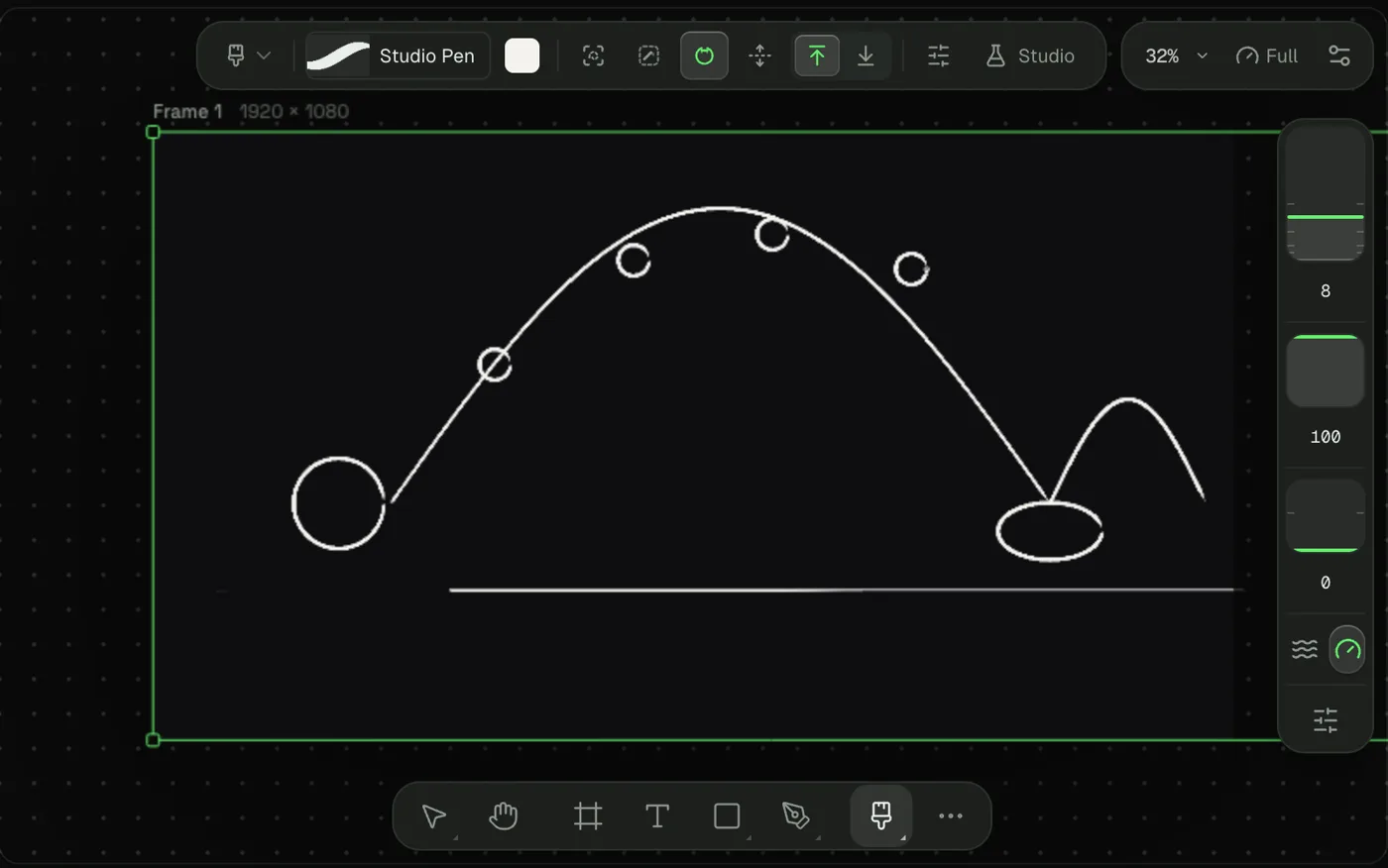
Paint a drawing
- In the timeline header, open + Clip and pick Drawing. A paint layer lands at the playhead.
- Press B for the Pixel brush. Press ⇧ShiftB to switch to the Vector brush, which paints strokes that stay editable.
- Pick a colour and paint.
- Press E for the Eraser. Press G for the Paint bucket, which fills a closed region.
- Press L for the Lasso and draw around pixels to select them.
- Press I for the Eyedropper to sample a colour from the canvas.
The brush options are grouped as Mark, Hand and Pen. Hand holds the Stabiliser. Pen sets pressure for size and opacity.
Control where paint lands
These modes belong to the gesture, so they work under the brush, the eraser and the bucket.
- ⇧ShiftI paints inside the region you start in.
- ⇧ShiftU paints over or under what is there.
- ⇧ShiftG closes gaps in line art, so the bucket does not leak.
- ⇧ShiftM merges overlapping vector strokes.
- ⇧ShiftR uses the selection as the paint reference.
Draw a flipbook
- In the timeline header, open + Clip and pick Flipbook. The sheet opens with its first frame.
- Draw on frame 1.
- Right-click the sheet and pick Add frame here, or right-click a frame and pick Duplicate frame to start from the last pose.
- Change the drawing on the copy. Repeat.
- Right-click a frame and set Hold to keep it on screen for more frames.
- Set the sheet rate with the rate control in the sheet toolbar.
Use Row to stack a second row. Cells on separate rows play together, so you can keep lines and colour apart. Right-click a frame and pick Open drawing to work inside it.
Turn on onion skin
Open the Onion skin control in the stage tool bar or the sheet toolbar. Click it to toggle. Open its settings to set:
- Frames back and Frames forward, each 0 to 8.
- The Behind and Ahead tints, and Tint strength.
- Opacity.
- Wrap looping rows.
Switch a frame's mode
Every frame has one mode:
- Timeline: layers move on a timeline.
- Flipbook: frame by frame, each cell a drawing.
- Static: one picture, such as a poster or a thumbnail.
Pick the mode with the mode switch. Switching is lossless. A timeline stilled to Static keeps its clips and keys.
Ask an agent
Agents build the sheet with frame_create in flipbook mode, flipbook_edit and flipbook_cells, and fill each cell with layer_create using its drawing id. Switching modes is frame_update. Agents do not paint pixels; they build each pose from shapes and paths.
Make a 12 fps flipbook of seven frames where a ball hops across the floor, drawn on twos.