Open it, or install it
SoloMotion runs in the browser. Open the studio and you are in. Installing it as an app gives it its own window and an icon in your dock or start menu.
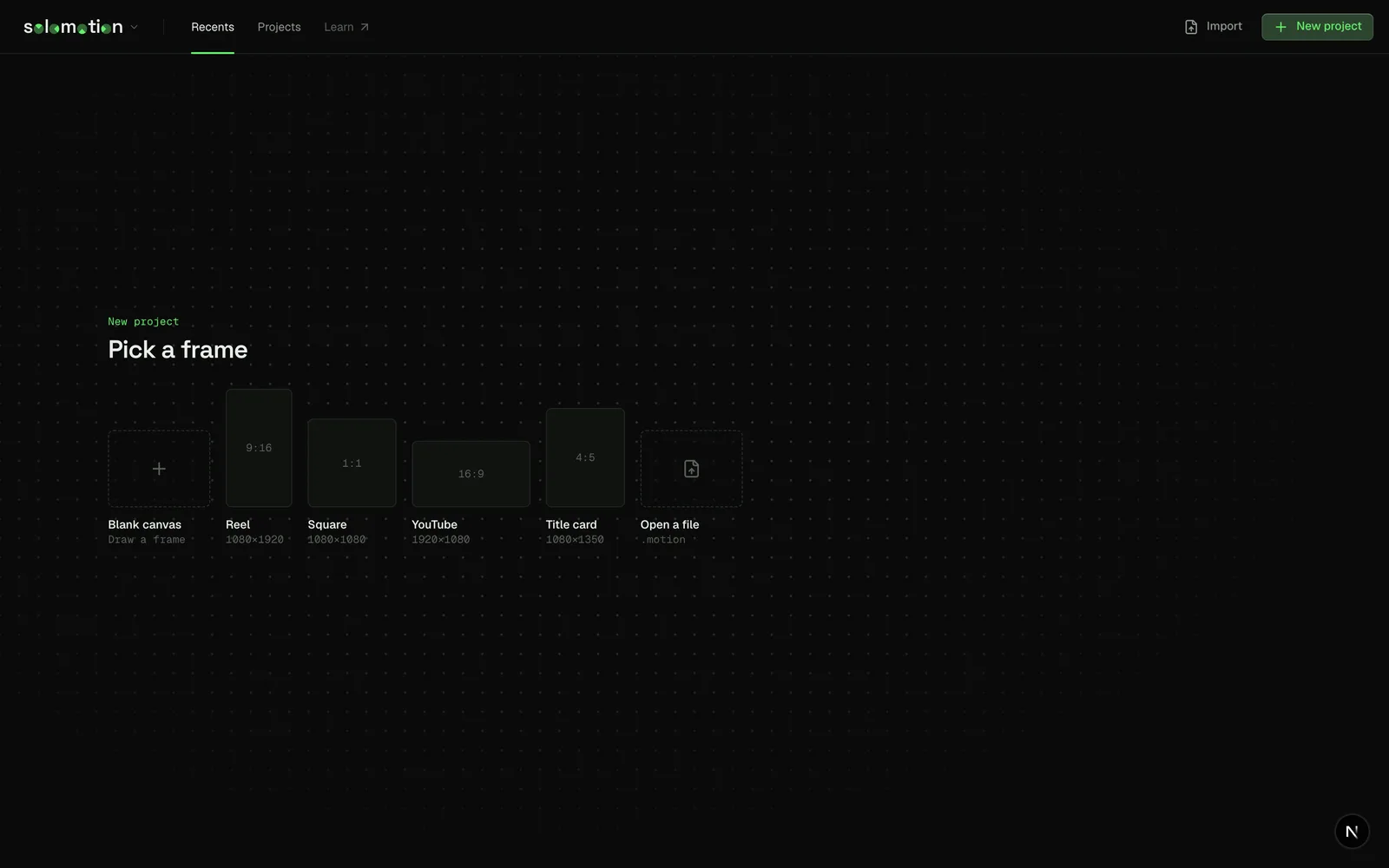
Open in the browser
- Go to open.solomotion.app.
- Pick a frame size under New project.
That is the whole install. There is no account, and projects stay in your browser's storage on your machine until you save them as .motion files.
From a terminal, the same thing:
npx solomotionInstall on a computer
The studio ships a web app manifest, so your browser can install it as a desktop app on Windows, macOS and Linux.
- Chrome or Edge: open the studio, then use the install button at the right of the address bar.
- Safari on macOS: choose File › Add to Dock.
The installed app opens in its own window and keeps working from your projects on that machine.
Install on iPad
- Open open.solomotion.app in Safari.
- Tap Share, then Add to Home Screen.
The canvas takes touch and pencil input. A keyboard gives you every shortcut in these docs.
Run it from source
You need Node.js 22 or later and pnpm through Corepack.
git clone https://github.com/solocreates/solomotion.git
cd solomotion
corepack enable
pnpm install
pnpm dev
The studio opens at http://localhost:3000. Self-hosting covers builds for your own server.