Find your way around
One window, five areas. The stage is in the middle and everything else is a panel you can hide with ⌘Ctrl\.
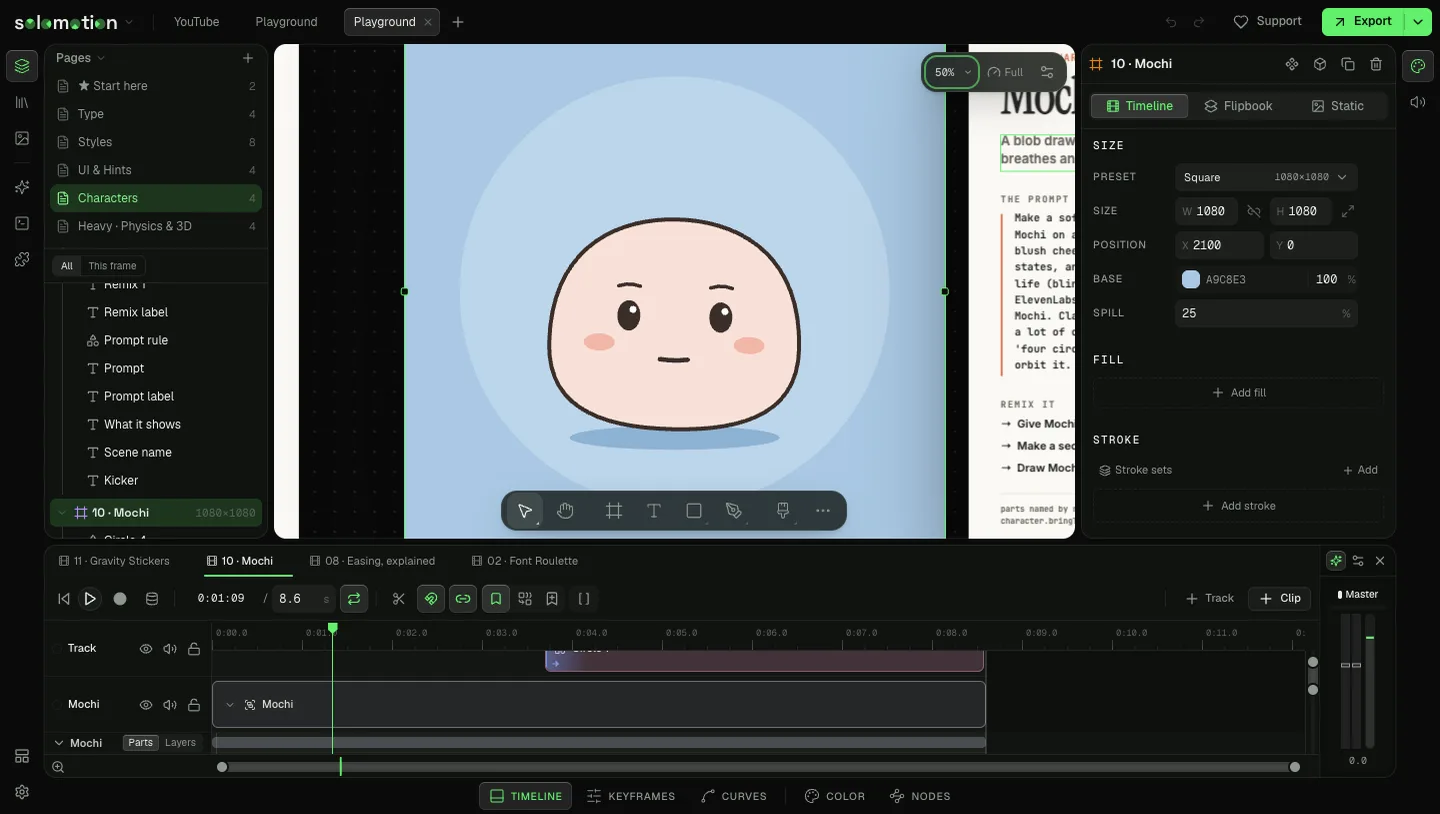
The five areas
| Area | What it holds |
|---|---|
| Top bar | The main menu, one tab per open project, undo and redo, Support and Export. |
| Left rail | Layers, Library, Media, Agents, Scripts and Plugins. Workspace and Settings sit at its foot. |
| Stage | The infinite canvas. Every comp sits on it as a frame. Zoom, preview quality and stage settings are at the top right. |
| Inspector | Whatever you selected: a layer, a frame, a key. Sections open and close; diamonds key a value. |
| Timeline | Tracks and clips, with the mixer at the right. The bar under it switches to Keyframes, Curves, Color and Nodes. |
Projects, pages, comps
A project is one file. It holds pages, and each page holds comps (frames) laid out on the stage. A comp is one of three modes, chosen in its inspector:
- Timeline: layers on a timeline. Most work happens here.
- Flipbook: frame by frame, each cell a drawing.
- Static: one picture, such as a poster or a thumbnail.
The tool bar
The bar at the foot of the stage holds the drawing tools. Keys pick them without a click:
| Tool | Key |
|---|---|
| Move | V |
| Hand | H |
| Frame | F |
| Text | T |
| Rectangle | Q |
| Ellipse | O |
| Pen | P |
| Brush | B |
| Bone | J |
Go anywhere
Press ⌘CtrlP to jump to any frame, world, component or layer by name. Press ⌘CtrlK for the command palette, which runs any command by name and shows its key.
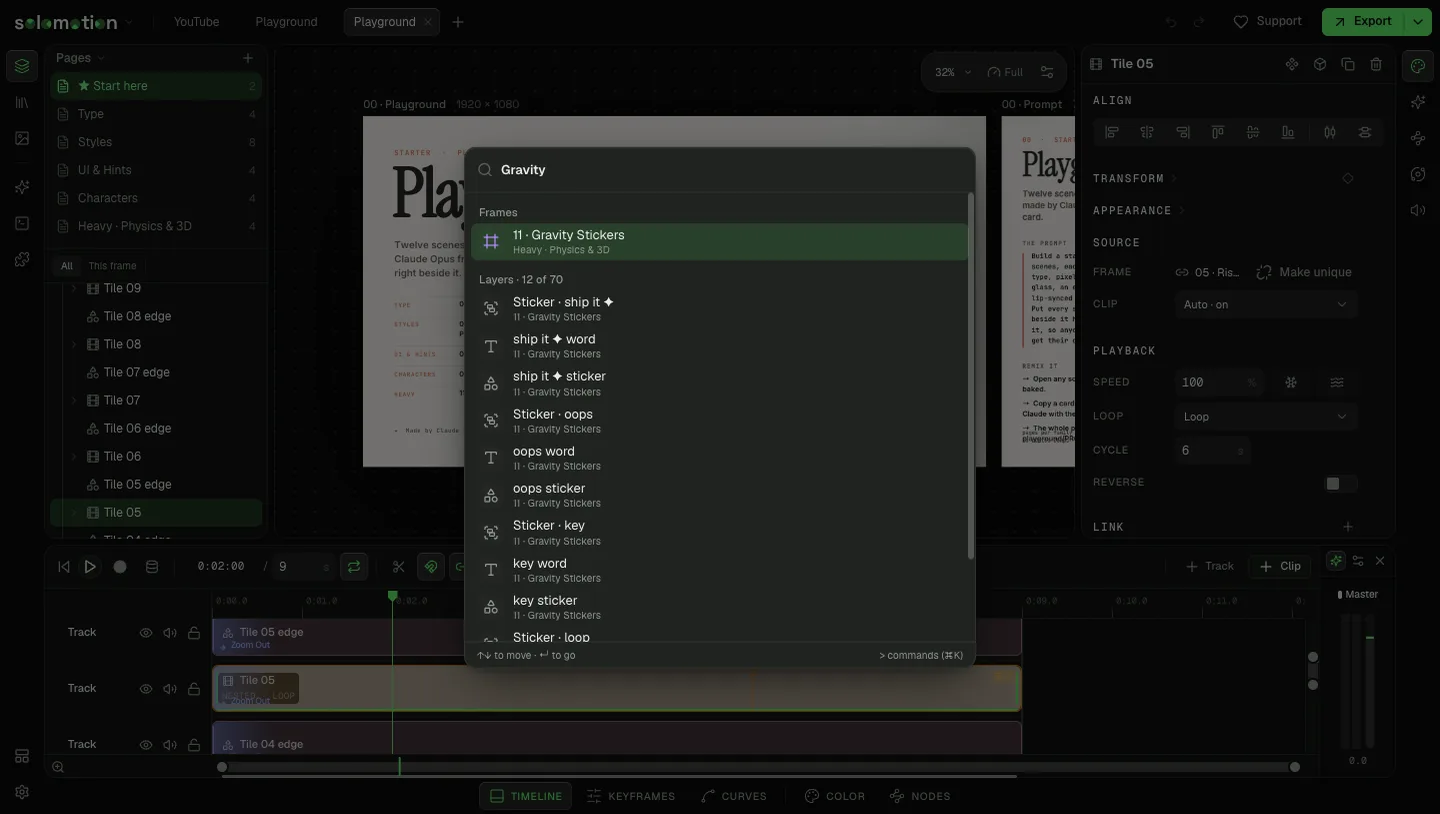
Shortcuts that save the most time
| Do | Key |
|---|---|
| Play or pause | Space |
| Step one frame | , . |
| Previous or next keyframe | ⌘Ctrl← ⌘Ctrl→ |
| Split at playhead | ⌘CtrlB |
| Group | ⌘CtrlG |
| Duplicate | ⌘CtrlD |
| Toggle snapping | S |
| Recording mode | R |
| Focus mode | ⌘Ctrl\ |
| Undo, redo | ⌘CtrlZ ⌘Ctrl⇧ShiftZ |
Every shortcut can be changed in Settings. On Windows and Linux, ⌘ is Ctrl; these pages switch automatically.